After separating from a management organization that had previously centralized its IT, an independent medical practice needed to take control of its own technology.
The approximately 20-person office reported slow support, recurring problems, high expenses, and little visible progress. What initially appeared to be a collection of everyday frustrations turned out to be an environment that had gone years without consistent maintenance, documentation, or planning.
The client’s identity and certain identifying details have been withheld. The conditions, work performed, and results remain materially accurate.
Client
An independent medical practice with approximately 20 employees, including clinical, administrative, and leadership staff.
Challenge
The practice had recently completed a significant organizational transition. Although its IT had previously been managed centrally, the local office had limited visibility into its equipment, services, security posture, or technology lifecycle.
Employees experienced slow computers, unreliable telephone service, repeated technical problems, and support requests that seemed to produce little lasting improvement.
Leadership needed more than repairs. The practice needed to establish ownership of its technology, address immediate risks, and create a sustainable way to manage the environment going forward.
What We Found
The first onsite assessment revealed several urgent problems.
The local server was so far out of date that a current laptop could not establish a secure connection using a mutually supported encryption cipher. Many workstations were undersized for the business applications and multitasking expected of them.
The firewall had been discontinued and had not received security updates for at least four years. The IP telephone system was unreliable, while a second, unused telephone service remained unterminated in the server room years after it had stopped serving the practice.
The server room also contained stacks of undocumented equipment. Some devices still had potential value; others were obsolete and simply occupying space. Without an inventory, management had no dependable way to know what the practice owned, what remained in service, or what needed to be replaced.
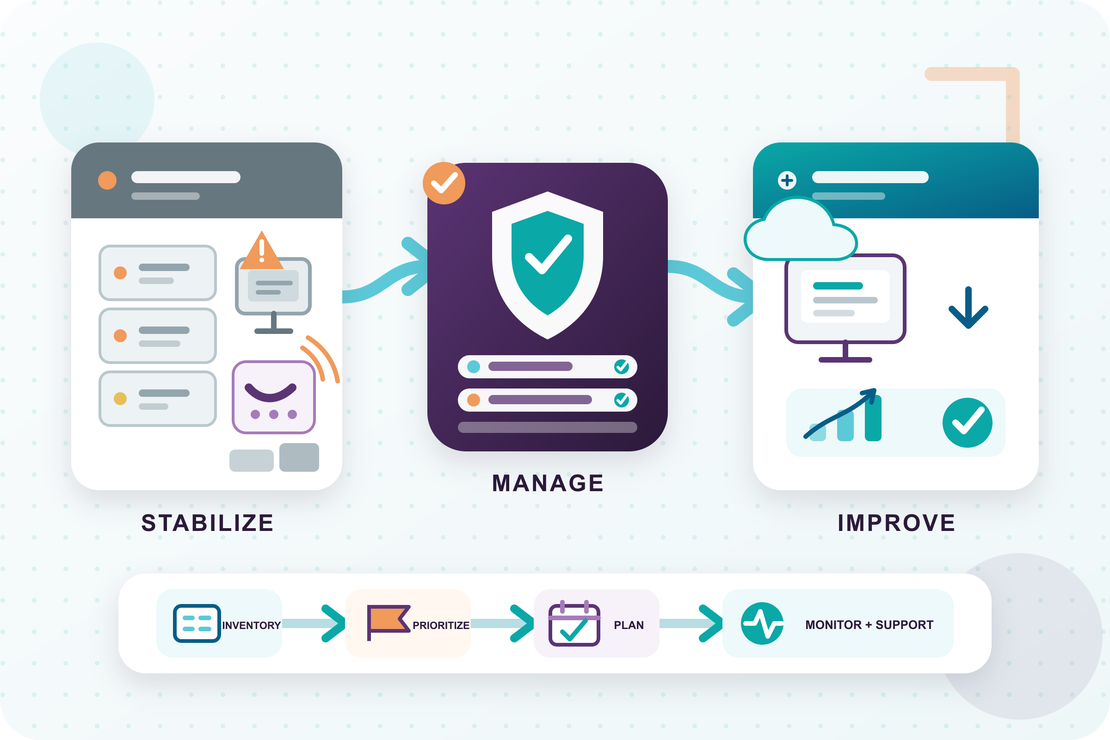
Stabilizing the Environment
The server was addressed first, followed by the most urgent workstation and firewall concerns. Because the practice handled healthcare information, restoring a reasonable technical security baseline became the immediate priority.
Technical improvements were accompanied by documented cybersecurity and HIPAA training for employees. The practice also introduced simulated phishing exercises that directed employees back into training when additional guidance was needed.
This created a more complete security program than technology changes alone could provide: systems were improved while employees received practical, trackable preparation for the threats they were most likely to encounter.
Putting Technology Under Management
Once the immediate risks were under control, we created a complete equipment inventory and evaluated the condition and capability of each workstation.
Machines that could no longer support the work were prioritized for immediate replacement. Equipment that remained usable but was approaching the end of its practical life was placed into a planned replacement schedule.
Working with management, we developed an ongoing technology lifecycle that replaced emergency purchases with predictable, budgetable upgrades. The practice could now see what it owned, understand what would need attention next, and plan technology spending before failures forced the decision.
The unused telephone service was terminated, and the telephone system still in use was migrated to a more reliable provider.
Modernizing Everyday Work
The practice already licensed Microsoft 365, but most employees used little beyond Outlook and the desktop Office applications.
We expanded its use of Microsoft 365 and introduced Microsoft Teams for much of the communication and collaboration occurring outside the electronic health record system. This provided a more consistent working environment for both office and remote employees.
The electronic health record system was also moved from the aging local infrastructure into a more reliable hosted environment, reducing the practice’s dependence on its onsite server.
Ongoing Support and Improvement
Remote monitoring and management tools were deployed throughout the environment. This allowed many issues to be identified and corrected before they interrupted an employee’s work.
Employees also gained a clear path for assistance. They could open a support request or call for help and know that the issue would receive either a quick resolution or a more detailed investigation.
As immediate problems were resolved, the relationship expanded beyond traditional IT support. The practice began using Diverse Technology for business consulting and process automation involving challenges that were not always technical on the surface but could be improved through better systems and workflows.
Results
The engagement gave the practice control and visibility that had been missing during its transition:
- Urgent server, workstation, and firewall concerns were addressed
- A documented cybersecurity and HIPAA training program was established
- Simulated phishing exercises connected employee testing with additional training
- Equipment was inventoried, evaluated, and placed into a managed lifecycle
- Emergency replacements gave way to planned and budgetable upgrades
- An unused telephone service was eliminated
- The active telephone system was moved to a more reliable provider
- The electronic health record system was moved to a more dependable hosted environment
- Microsoft Teams provided a more consistent way for office and remote employees to collaborate
- Proactive monitoring allowed many issues to be addressed before they disrupted users
- Employees gained a clear and responsive process for requesting assistance
The effect of properly sized equipment was immediately visible. Within a week of receiving new front-desk computers, the employees using them reported that they could complete roughly three times as much work during the day.
The practice no longer had to manage technology as a series of isolated emergencies. It had an inventory, a support process, a security baseline, a lifecycle plan, and a technology partner that could continue improving the environment as its needs evolved.